Today, I’m going to share with you a proven way “How to pay your MEPCO electricty bills using jazzcash”. This is very first time on the internet you’re going to learn with step wise process how to do as a complete beginner.
Yes. Many people ask me every month, “How can I pay my MEPCO electricity bill through JazzCash App? I don’t know how to do it. Please guide us with step wise process.
And if you’re one of them then, you’re at the right place! Don’t worry
Education and technical knowledge is not necessary for this to be honest, I’m not going to tell you go and get addmission in the university to learn exaclty how to pay bills paying mepco electricity bills is easier than you think.
What You Need Before Paying Your MEPCO Bill
Before starting
First of all you need to know your electricity bills reference number.
It is important and without knowing this you aren’t going to do the further next steps so make sure you’ve bill even the previous months to check your reference number.
MEPCO Bill Online Check February 2026 (Enter 14-Digit Reference Number & Customer ID)
Pay NADRA Fees for CNIC, B-Form, Visa via JazzCash, Easypaisa & Bank
How to Pay MEPCO Electricity Bill via JazzCash (Step-by-Step)
Follow these 5 easy steps to pay your MEPCO bill using the JazzCash app:
Open the JazzCash app on your mobile phone
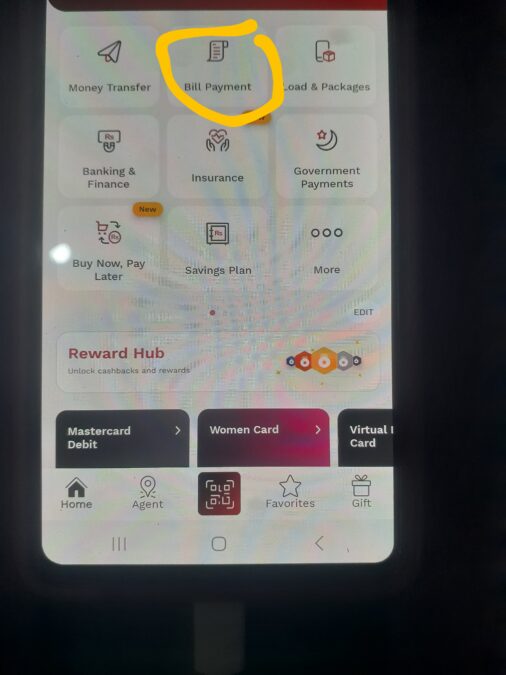
Tap on Bill Payments from the home screen
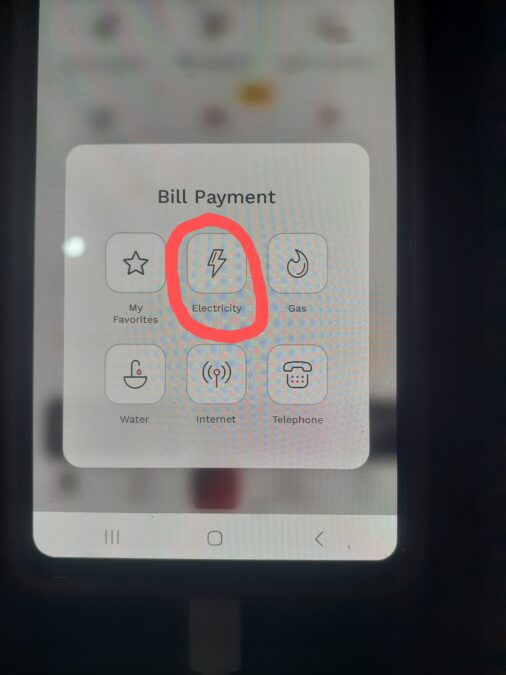
Select Electricity
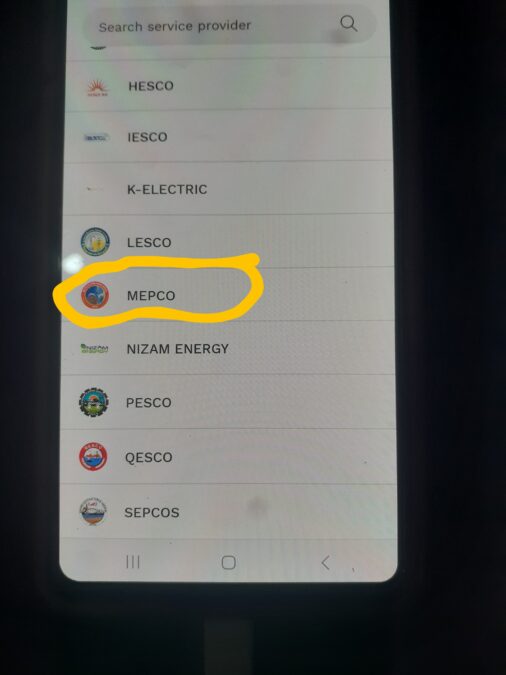
Search for and choose MEPCO
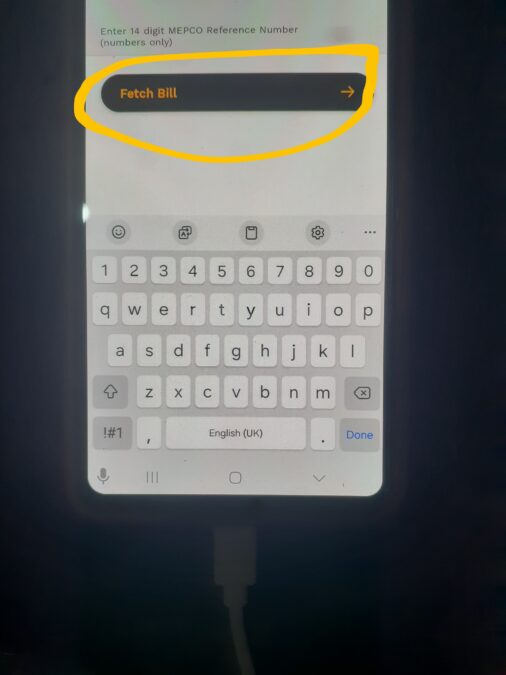
Enter your reference number and tap Fetch Bill
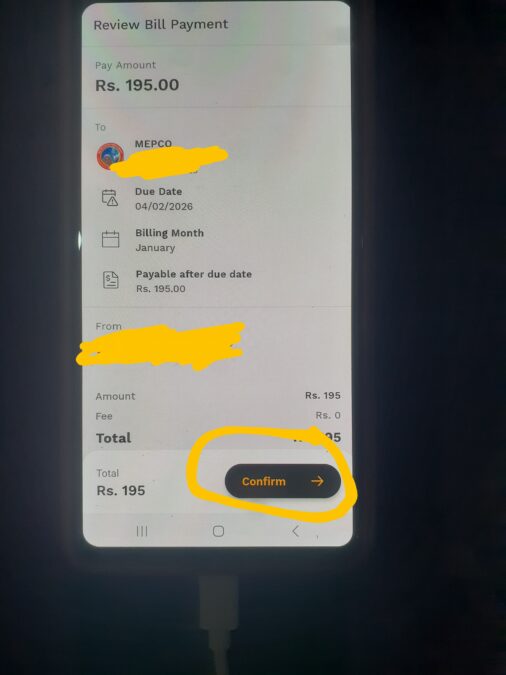
Now, carefully check your reference number and bill amount.
If everything is correct, confirm the payment.
That’s it!
Your MEPCO electricity bill has been paid successfully via JazzCash.
Final Words
This was the exact step everyone can followed and pay their bills without even visiting a shop.
If you love & like this process make sure share with your family and friends to help other people to educate them how to pay electrcity bills via jazzcash.
Frequently Asked Questions (FAQs)
1. Can I pay my MEPCO electricity bill using JazzCash?
Yes, you can easily pay your MEPCO electricity bill using the JazzCash mobile app from anywhere, at any time even after the last date of the current bills too.
2. Do I need an internet connection to pay my MEPCO bill via JazzCash?
Yes, you need a stable internet connection to use the JazzCash app and complete the bill payment successfully. Without internet connection You can open Jazzcash app but you can pay the bills.
3. Where can I find my MEPCO electricity bill reference number?
You can find the reference number on your current or previous MEPCO electricity bill. It is usually printed at the top of the bill. It is 14 digit code.
4. Is it safe to pay electricity bills through JazzCash?
Yes, JazzCash provides a secure payment system. Always double-check your reference number and bill amount before confirming the payment and after that you can check your bill confirmation statement from the jazzcash app statement.
5. Will I receive a confirmation after paying my MEPCO bill?
Yes, after successful payment, JazzCash shows a confirmation message that you’ve successfully pay your bills and this is your reference numbers.