
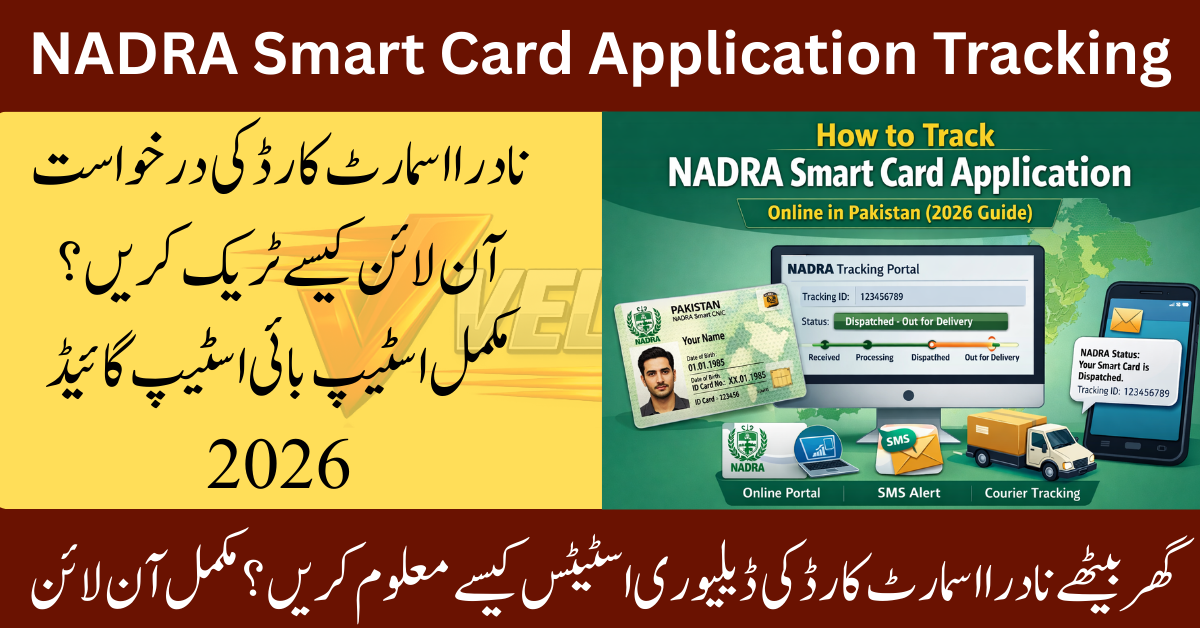
Tracking your NADRA smart card application is one of the easiest ways to stay informed about your CNIC smart card status and avoid unnecessary visits to NADRA offices. With the right application number, SMS service, or NADRA portal, you can check your NADRA smart card application tracking details from home and know exactly where your card is in the process — from biometric verification to delivery status.
This guide explains every official method to track NADRA card online, what information you need, and what to do if your smart card is delayed.
What Is a NADRA Smart Card and Why Tracking Matters
A NADRA Smart Card is an advanced version of the Computerized National Identity Card (CNIC) issued by the National Database and Registration Authority. It includes a chip that stores your identity data securely in the citizen database and is widely used for:
- Government services
- Banking verification
- SIM registration
- Passport applications
- Voting and legal documentation
Why Tracking Is Important
After applying for a smart card, many people are unsure about:
- Whether their application has been approved
- If biometric verification is complete
- When their card will be dispatched
- Which processing center is handling their request
By checking your NADRA application status, you can:
- Avoid delays
- Confirm delivery details
- Fix errors early
- Stay updated on dispatch tracking
Methods to Track NADRA Smart Card Application
There are three official and reliable ways for smart card tracking in Pakistan. Choose the method that is most convenient for you.
Track via NADRA Portal (Online Method)
This is the most detailed method for NADRA smart ID status checking. It works for both local and overseas Pakistanis.
Step-by-Step Guide
- Visit the Official NADRA Portal
Go to the NADRA website and open the online services section. - Login or Create an Account
Use your email and password to access your profile. - Enter Your Tracking Details
You will need one of the following:- Application number
- NADRA tracking ID
- CNIC or smart card reference number
- View Application Status
Your screen will show:- Current processing stage
- Verification status
- Dispatch tracking (if available)
- Expected delivery date
What You May See on the Status Page
- Application received
- Under biometric verification
- In processing center
- Approved
- Dispatched via courier service
- Delivered
This method is best for people who want full details about their NADRA smart card application tracking.
Track via SMS Service
If you don’t have internet access, you can still check smart card status using your mobile phone.
Step-by-Step Guide
- Open your phone’s message app
- Type your application number or CNIC number
- Send it to the official NADRA SMS code
- Wait for a confirmation message
What the SMS Tells You
You will receive a message showing:
- Current NADRA application status
- Whether your card is under review or dispatched
- Basic delivery information
This is one of the fastest ways to track NADRA card online without using a browser.
Track via Courier Service
Once your smart card is printed, NADRA hands it over to a courier service for delivery.
Step-by-Step Guide
- Check your SMS or email for a dispatch tracking number
- Visit the courier’s website
- Enter the tracking number
- View delivery status and estimated arrival date
When This Method Works Best
Use this option if your NADRA status shows:
“Dispatched” or “Handed over to courier”
It helps you know exactly where your card is and when it will reach your address.
What to Do If Your Smart Card Status Is Delayed
If your application is delayed due to unpaid charges, you can check the latest NADRA smart card fee details and complete your payment online to avoid further processing issues.
Sometimes, NADRA smart card application tracking shows no updates for weeks. This usually happens due to:
- High application volume
- Incomplete biometric verification
- Incorrect personal details
- Missing supporting documents
- Processing center backlog
Steps to Fix Delays
- Recheck Your Application Number
Make sure you entered the correct tracking ID. - Contact NADRA Helpline
Call or email NADRA support with your reference number. - Visit the Nearest Registration Center
Take your receipt and CNIC copy for in-person support. - Confirm Delivery Address
Incorrect addresses often cause courier delays.
Common Errors and Solutions
If your smart card application is stuck due to incorrect personal information, you can update your NADRA record online without visiting a registration office and resume the tracking process.
Here are the most common problems people face while using CNIC smart card tracking and how to fix them.
Error: Invalid Tracking ID
Solution:
Double-check the application number from your NADRA receipt.
Error: No Record Found
Solution:
Wait 24–48 hours after applying before checking again.
Error: SMS Not Received
Solution:
Make sure your mobile network is active and has balance.
Error: Dispatched but Not Delivered
Solution:
Use the courier service tracking system to contact the delivery office.
Required Information for Tracking
Before tracking your application, it’s recommended to verify your CNIC online to ensure your identity details match the NADRA citizen database and avoid unnecessary delays.
To avoid problems, keep these details ready:
- Application number
- NADRA tracking ID
- CNIC or smart card number
- Registered mobile number
- Email address
- Delivery address
Having the correct information ensures smooth access to NADRA application status updates.
Helpful Tips for Faster Processing
- Always complete biometric verification properly at the registration center
- Use a clear and active mobile number for SMS alerts
- Enter correct personal details in the application form
- Save your tracking slip or receipt
- Check your status once every few days instead of daily
These small steps can reduce delays in smart card tracking Pakistan.
FAQs – NADRA Smart Card Application Tracking
1. How can I track NADRA smart card online?
You can track your card using the NADRA portal, SMS service, or courier service. You only need your application number or tracking ID.
2. How long does NADRA smart card processing take?
Normal applications usually take 30–45 days. Executive and urgent services may be faster.
3. Can I check smart card status without an application number?
In some cases, you can use your CNIC number on the NADRA portal, but having the tracking ID is recommended.
4. What does “under verification” mean in NADRA status?
It means your biometric verification and personal data are being checked in the government database.
5. Who should I contact if my card is lost during delivery?
Contact both NADRA support and the courier service with your dispatch tracking number.
Final Thoughts
Tracking your NADRA smart card doesn’t have to be confusing. Whether you use the NADRA portal, SMS service, or courier service, staying updated on your NADRA smart ID status helps you avoid delays and ensures smooth access to essential government services.
By keeping your application number safe and checking your NADRA application status regularly, you can receive your smart card without stress — and be ready to use it for official, legal, and identity verification purposes across Pakistan.